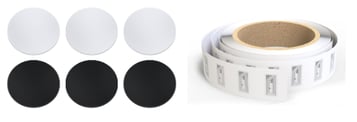
 Over the past year, several churches have asked if we support using Tap Tags. These are small, unpowered stickers with a microchip that stores tiny amounts of data and have an antenna embedded in them. They use the NFC (Near Field Communication) feature on smartphones to connect the phone to whatever link is programmed on the microchip.
 Since the NFC feature is defaulted on for most phones, people just turn on their phone and place or tap the tag with the top of their phone. They don't need to open up another App or Settings, just tap -- like they do with Apply Pay or Google Wallet.
After a brief moment the phone pops up a banner. The phone's owner touches the banner to navigate to an individual link or a page of links that might include a connection card, online giving, sermon notes, the Bible App, and upcoming events. They are growing in popularity because they are simple to use and simple to create.
There are several companies that specialize in providing Tap Tags for your church as a service for a fee. You can put Churchteams giving, registration, and form links into these to avoid having data in a separate database.
However, you can also do-it-yourself by following these 4 easy steps.
1. Purchase NFC tags. The tags themselves come in different formats like quarter-sized dots with adhesive backs, and ultra-thin stickers. You will eventually paste these tags to the promotional items you create or purchase. You can get these from Amazon or other online stores. Just search for NFC tags.
2. Create a Content Page. You will find Content Pages under the side menu when logged into Churchteams. Click to create a new Content Page. Give it a header image with your church logo. Use two even sized rows and then drag image content into those spaces. Browse or upload and insert the images you want to represent each action step. Then add in the links you want people to tap to go to. (Do this on your computer.)
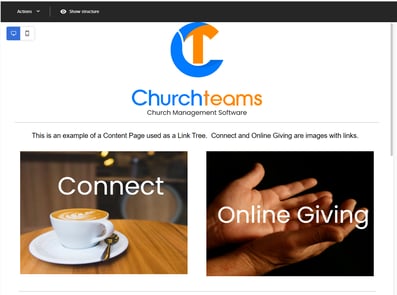 Click this image (on your phone) to see what it looks like and how it works.
 I've added another uniquely Churchteams feature to it that embeds event registrations into the page.
3. Write (program) the tag. Once you've created your Content Page you'll see the URL link you need on the list of pages. Copy this link and email it to yourself so that you have it on your phone.
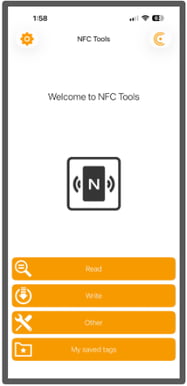 Because you need its NFC capabilities, you must use your phone to write these tags by downloading the NFC Tools app. It is free and works on both Apple and Android phones.
 Open the app, then click the option to Write. On the next page click to "Add a record" and paste in the URL for the Content Page you just created.
Next, click the Write option and tap the tag or sticker you want to program. The app will tell you when it's done. Your tag or sticker is now ready to be used. You can also save this link in the app for future use for a small, one time upgrade fee.
4. Add the tag to your permanent promo item. Once you have the sticker or tag programmed, just place it on the card, sticker, brochure, flyer, or other permanent promotional item your communication person or team creates or that you purchase.
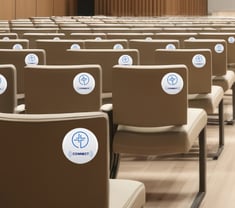
Place these items on the backs of chairs, in seat-back pockets, signs, or anywhere else you want them. Since the phone can read a tag when it is within about an inch, you can stick tap tags to the backside of cardstock or a sign that has your image or content on the front side.
Local or online marketing products companies specialize in helping produce these kinds of items. You can also find companies that specialize in creating these kinds of promotional items specifically for churches. You won't need their recurring services since you already have the necessary technology with Churchteams and the NFC Tools App.
QR Codes. Some churches add QR codes to these permanent items because they have been around longer and are more familiar to many people. The QR code is different technology but uses the same link that is on the NFC tag. It is simply a different way to get to the same place.
Text-to-Church Keywords in Churchteams do the same thing that Tap Tags and QR Codes do. All of these are different ways to engage people.
It seems to me that the use of NFC and the idea of a single page of images with links to worship service action steps are the freshest ideas that Tap Tags bring to the church. You could use a Keyword or a QR Code to get to this page as well, but some people will prefer tap.
The goal is connecting with people and, like you, we want to provide every opportunity for that to happen.